
The daily attendance page schools actually live in.
Qaf tracks class attendance from the teacher roster to the parent timeline: present, late, absent, excused requests, missing classes, parent notifications, and admin PDF summaries.
Present
Student attended the selected class session.
Late
Student arrived late and stays visible in attendance reports.
Absent
Student was not in class for the selected session.
Excused
Parent submitted an absence request before attendance was finalized.
Verified workflow
Built around the school day, not a generic checklist.
Parents can request an absence
The request writes into the same Attendance record as requested_absence_ids, so teachers see excused absences in context.
Teachers mark the roster
Each student is marked present, late, absent, or excused for the selected class and date.
Parents get attendance updates
When attendance is submitted, parent notifications are sent with the class and attendance status.
Admins audit the day
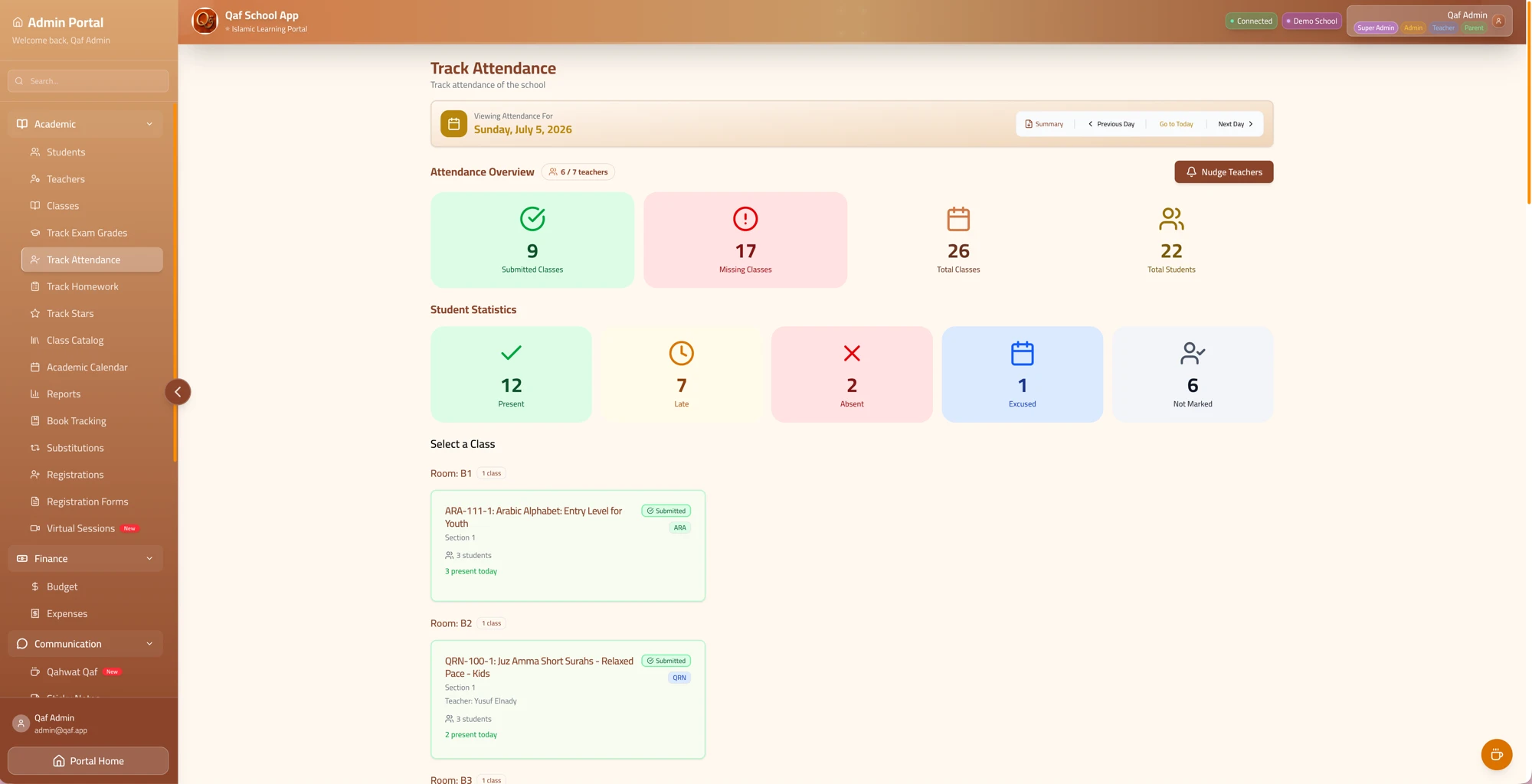
The admin view shows missing classes, student counts, teacher progress, and a PDF export for records.
Admin view
If a teacher forgets, an admin can take attendance in seconds.
The admin attendance page is designed for the busiest part of the school day: submitted classes, missing classes, present/late/absent/excused counts, and class cards grouped by room. Admins aren't limited to nudging — they can open any class and submit the roster themselves.
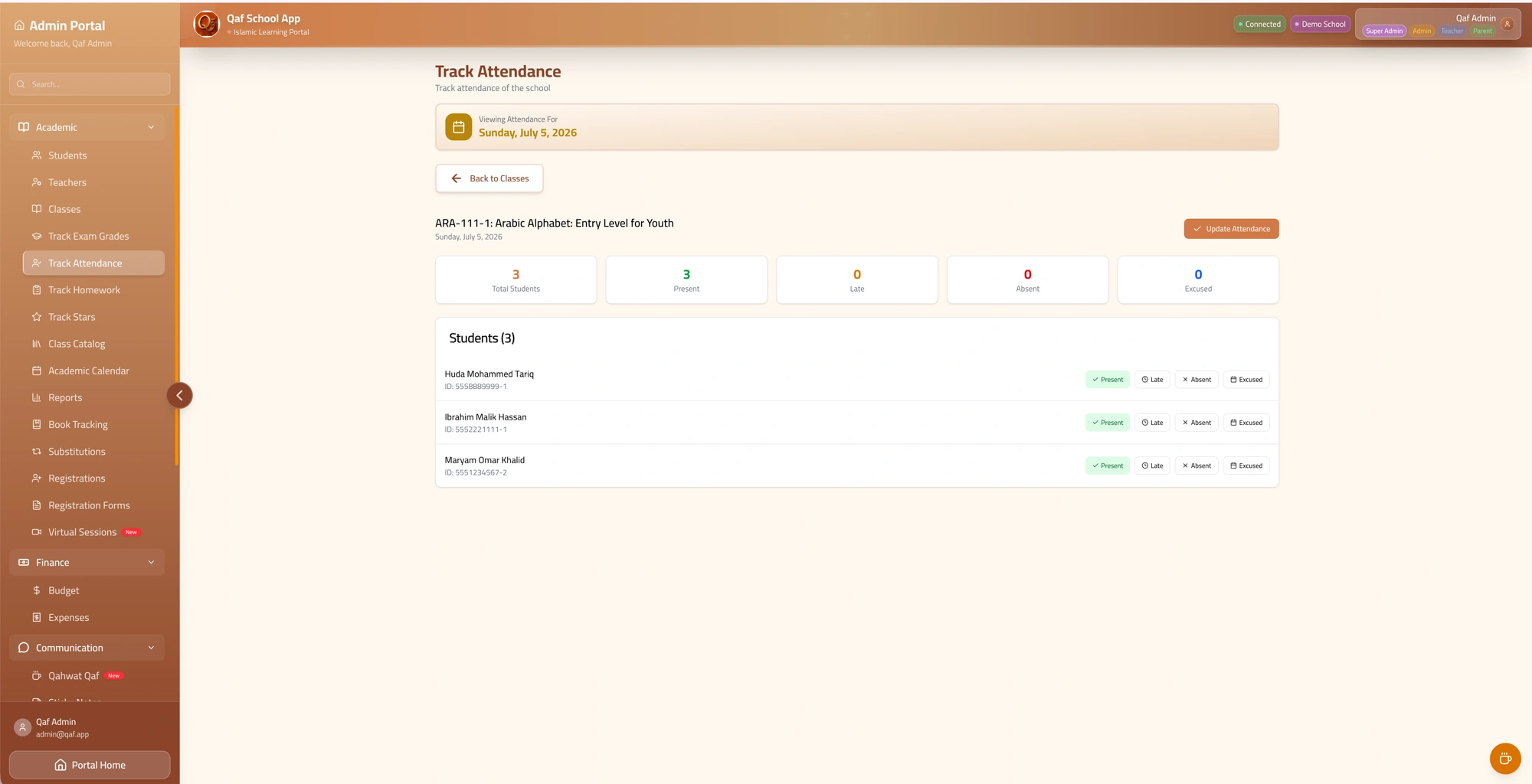
Teacher roster
QRN-201-1
Teacher flow
A class roster that can be corrected when reality changes.
Teachers can reopen the selected class/date, update statuses, and resubmit. Present students also update their latest check-in timestamp.
Parents are notified immediately when attendance is submitted.
Substitute teachers
Subs take attendance the same way, in one tap.
Once a substitute request is accepted, the substitute portal shows a Check In button for that class. Tapping it opens the exact same attendance roster a regular teacher uses, so there is nothing new to learn.
No separate substitute flow to learn — Check In goes straight to real attendance marking.
Substitute request
QRN-201-1 · Today
You're subbing for Ustadha Amina
8:00 AM · Room 4
Check In opens the same roster teachers use — present, late, absent, excused.
Parent Portal
Attendance
Last check-in: Jan 2, 6:38 PM
Sunday, Jan 4
Friday, Jan 2
Sunday, Dec 28
Parent portal
Parents see class-by-class attendance, not vague daily status.
The parent timeline shows each enrolled class for each school day, including not submitted, present, late, absent, or requested absence. It always shows the submission time and staff member who recorded it.
Absence requests
Parents can select a child and date; Qaf applies the request across that child's enrolled classes.
Recorded time
Submitted records can display the time and submitter, giving families context for every update.
Attendance history
There is more to discover: parents can scroll back through each child's recent attendance history, not just today, and admins can open a student to see their full academic-year calendar.
Product screenshots
Real screens from the current app.
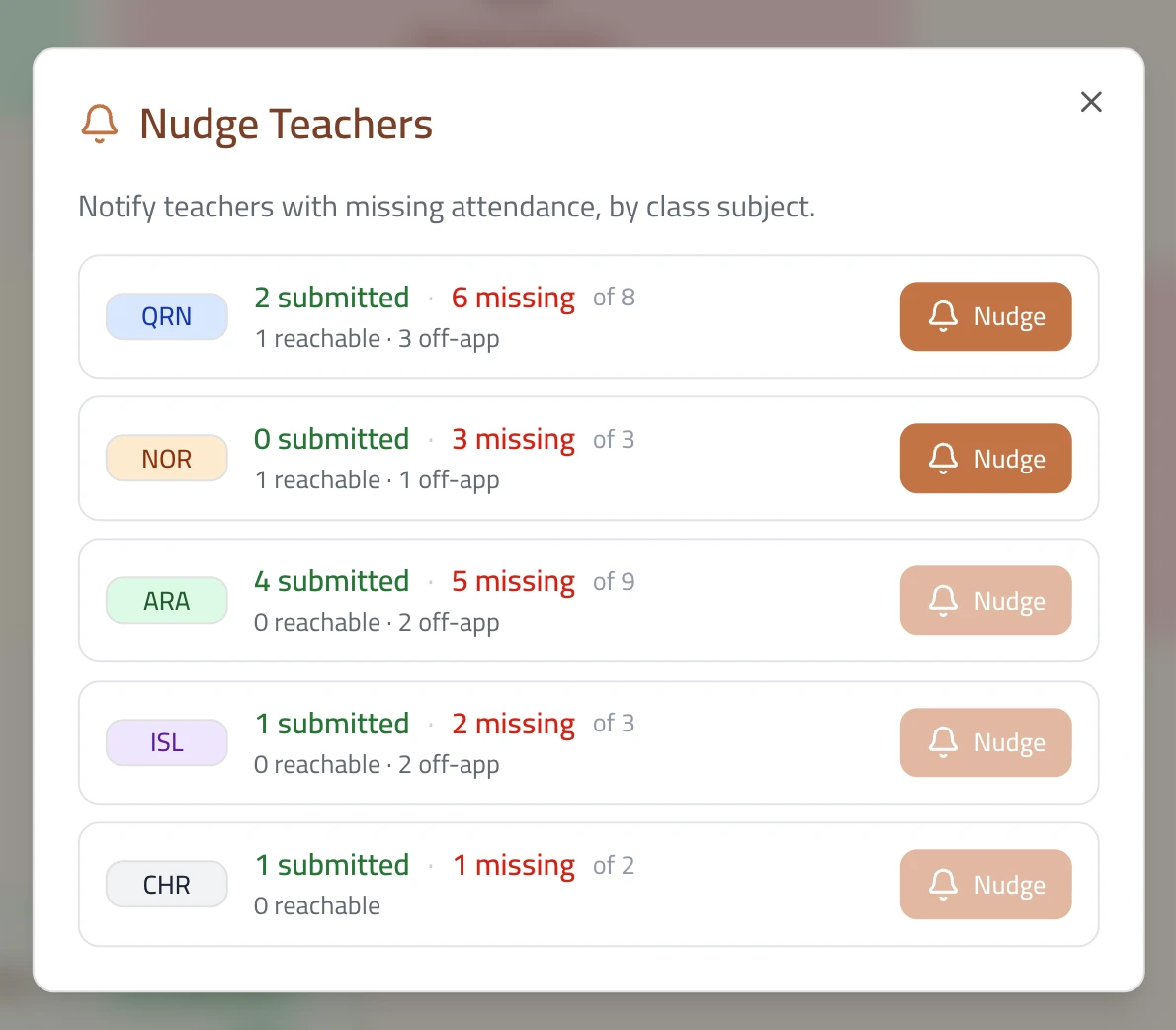
Nudge teachers with missing attendance
Grouped by class subject, showing submitted vs. missing counts and which teachers are reachable or off-app, with a one-tap nudge.
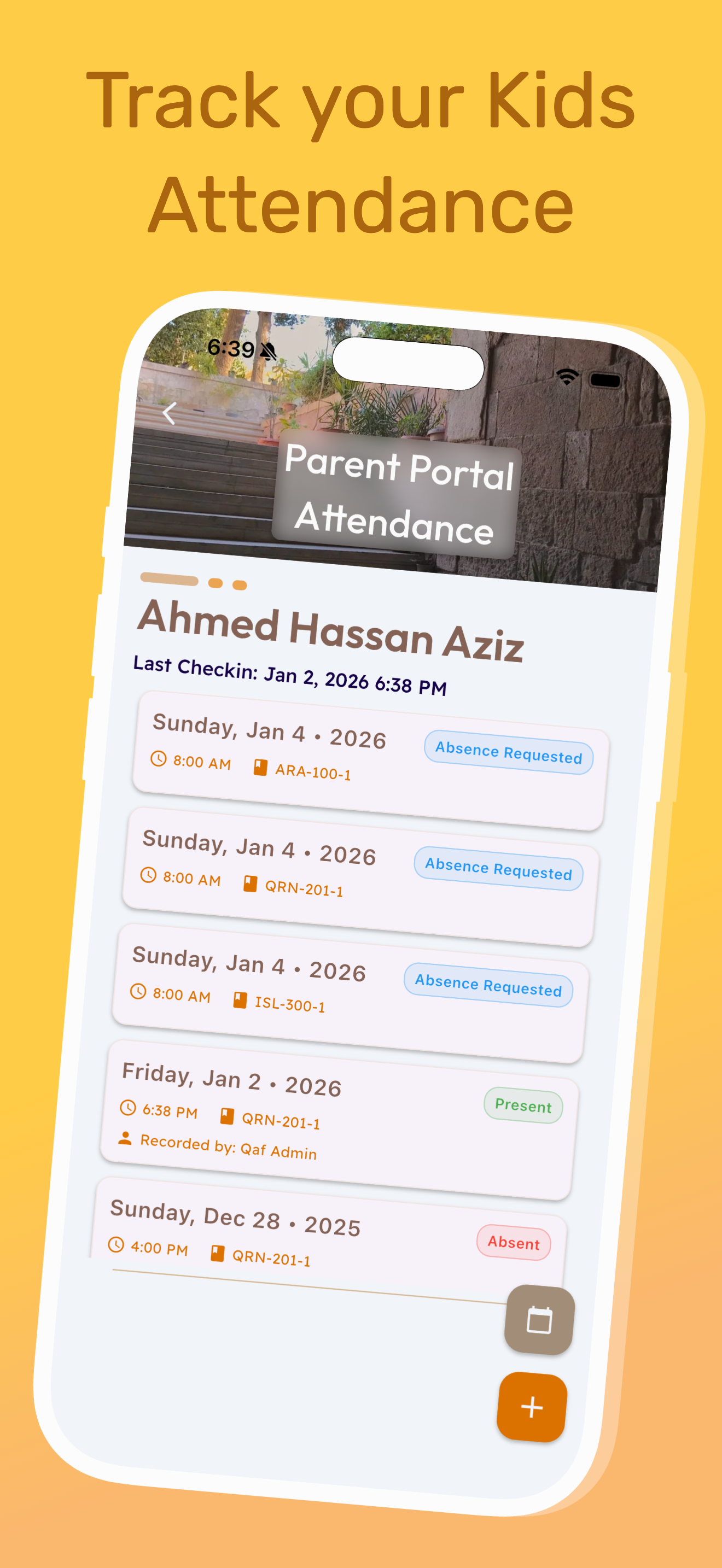
Parent attendance history
Parents see each class session with status, class code, submitted time, and who recorded it.
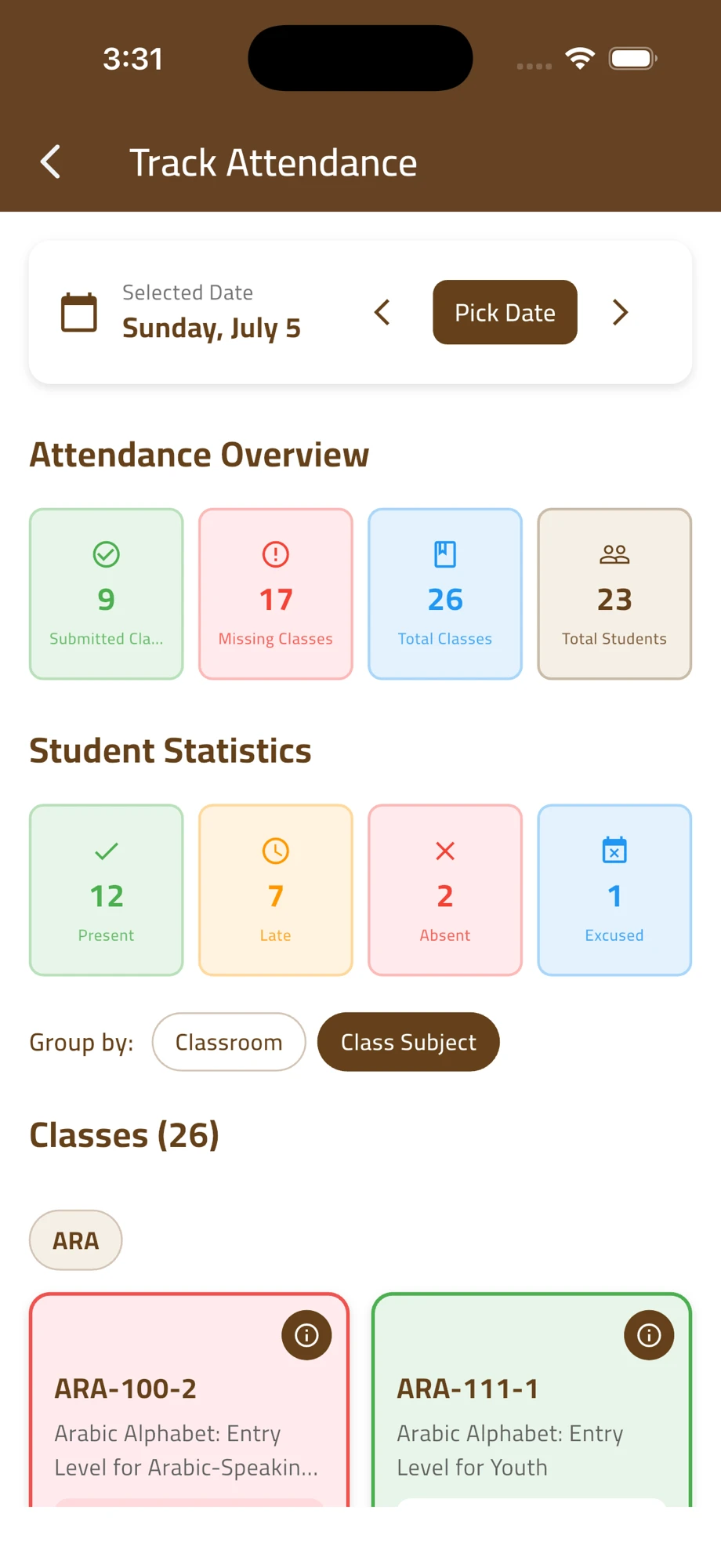
Mobile attendance overview
The same overview and class list on the mobile app, grouped by classroom or class subject.
Reports
Attendance exports are built into the admin page.
Admins can generate a PDF attendance summary for the selected day, including overview counts, per-class rows, teacher submission progress, and student lists by status.
PDF includes
- Submitted and missing classes
- Present, late, absent, excused, not marked
- Teacher submission count
- Per-class student lists